
Where Marketing Automation Actually Saves Time
Automation earns its keep on work that is boring, frequent and already understood. Applied to anything else it produces a system that fails quietly and takes longer to debug than the task took to do by hand.
On this page
Small teams reach for automation when they are behind, which is the worst moment to design a process. The result is a workflow that encodes whatever the team was doing that week, including the parts that were wrong.
One rule that decides most cases
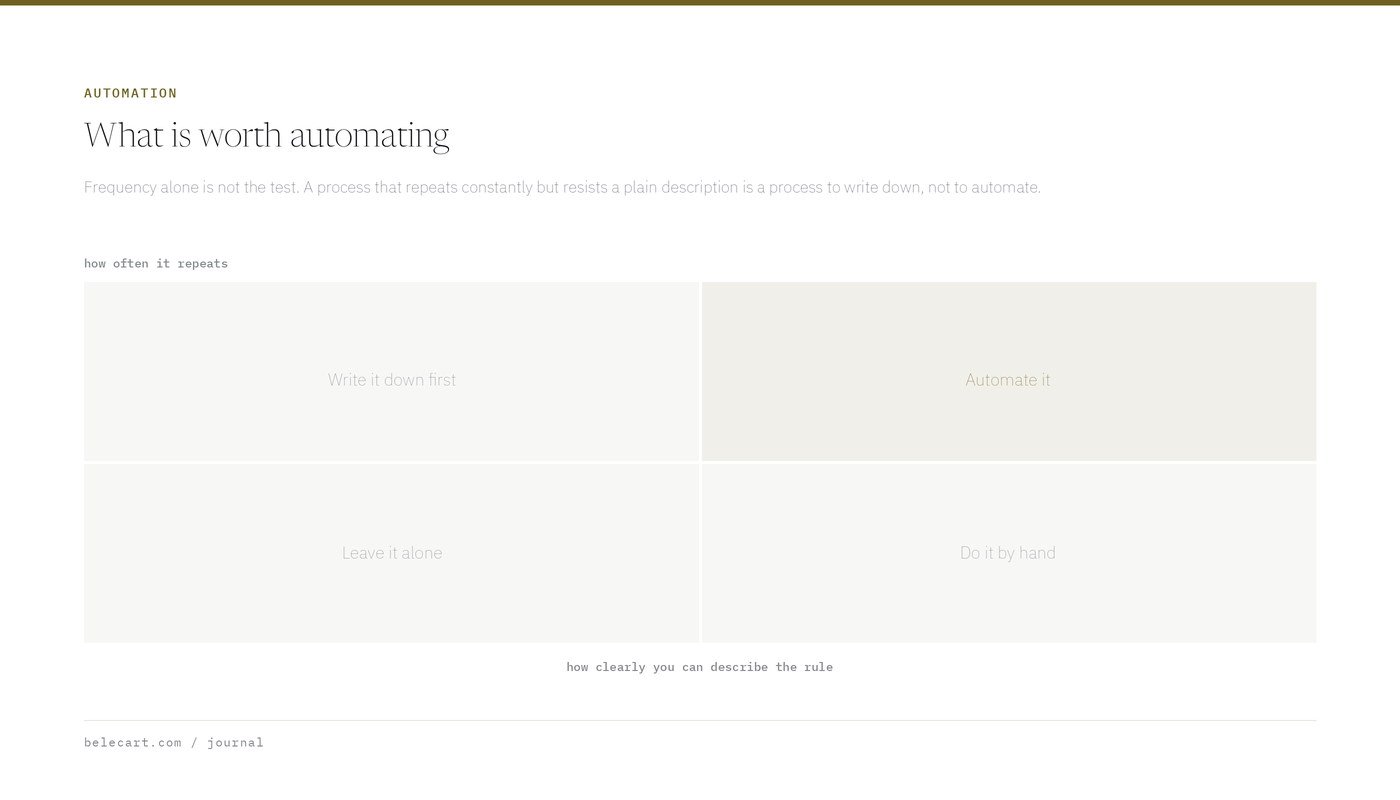
Automate repetitive processes, not unclear ones.
If a task happens the same way every time and a person can write down the steps without arguing about them, it is a candidate. If two people on the team would handle it differently, automating it does not resolve the disagreement. It hides the disagreement inside a tool where nobody will find it for six months.
The test I use is whether someone can describe the rule in one sentence with no exceptions attached. “Send this email two hours after a cart is abandoned” passes. “Follow up with important leads quickly” does not, because neither important nor quickly is defined, and the automation will define them for you.

Abandoned carts and customer messages
Abandoned cart recovery is the most reliably profitable automation in e-commerce, and it is also where the most damage gets done through over-enthusiasm.
What works is a short sequence, a genuine reason for the message, and a hard stop. Two messages recover most of what a five-message sequence recovers, and they cost far less goodwill.
What goes wrong is usually suppression. The customer completes the order on another device and still receives “you left something behind”. Or she abandons deliberately because shipping was too expensive, and the recovery email arrives without addressing the reason, which reads as though nobody was paying attention.
Before building the sequence, I want the exclusions written down: purchased since, contacted by support since, already received this in the last N days, subscribed to a different active flow. The exclusion list is the part that determines whether the automation feels helpful or careless.
Order and shipping notifications are the other clear win. They reduce support volume, they are expected, and the content is factual, so there is little to get wrong beyond timing.
Keeping the customer record honest
Most CRM automation should be about data hygiene rather than messaging. Tagging a customer’s first order date, source and product category at the moment of purchase costs nothing and makes every later segment possible.
The failure mode is tag sprawl. A team adds a tag for each campaign, each quiz answer and each temporary experiment, and two years later nobody can say which of four hundred tags are still meaningful. Segments built on abandoned tags quietly stop matching anyone.
I prefer a small number of durable properties updated automatically, plus a documented naming convention, over an expressive tagging system that only its author understands.
Email validation belongs here too. Automating list hygiene, so that hard bounces are suppressed immediately and never reappear through the next import, prevents a slow decline in deliverability that is difficult to reverse once it starts.
Reporting and internal notifications
Recurring reports are ideal automation candidates. The inputs are stable, the format is fixed, and the work is pure assembly.
The trap is notification volume. A channel that fires on every order is useful for a week, then becomes background noise, and shortly afterwards the genuinely urgent alert arrives in the same stream and gets missed.
My rule for internal alerts is that a notification must be actionable by the person receiving it, right now. Everything else goes into a report they read on a schedule. If nobody would act differently because of the message, it does not need to interrupt anyone.
Threshold alerts are worth the setup: payment failure rate above normal, orders per hour dropping to zero, a feed that stopped updating. These catch the failures that cost real money and are otherwise noticed a day late.
Lead routing
Routing works when the criteria are objective. Inquiry type, country, order value and language all qualify. Routing on intent or quality does not, because the system is guessing at exactly the judgement you wanted a person to make.
Two safeguards matter more than the routing logic. Every route needs a fallback owner for the cases that match nothing, and every automated assignment needs a timeout that escalates if nobody responds. Without those, a small number of inquiries disappear into a queue that nobody owns, and the only signal is a customer who does not come back.
Where AI fits, and where it does not
Language models are useful in this stack for tasks where a draft is genuinely useful and a human still approves the output. Summarising a long support thread before handoff. Drafting product descriptions from a specification sheet. Turning a messy internal note into a customer-facing reply that someone reads before sending.
They are also useful for classification with a clear taxonomy, such as tagging inbound messages by topic, provided the categories were defined by a person first.
Where they do not belong is anything that sends without review and cannot be recovered from. Automated replies to complaints. Pricing decisions. Anything where a confident wrong answer costs more than a slow right one.
The practical question is not whether the model is capable. It is what happens on the day it produces something wrong, how quickly anyone notices, and who is accountable for the output. If those three answers are unclear, the automation is not ready regardless of how well it demos.
Map the work before automating it
The step teams skip is the boring one. For two weeks, write down every recurring task, who does it, how often, and roughly how long it takes.
The list is usually surprising. Work that felt constant turns out to happen twice a month. Work nobody mentioned turns out to consume an afternoon every week, generally because it sits between two people and neither counts it as theirs.
Rank by frequency multiplied by duration, then look only at the top of that list. A task performed daily that takes four minutes is worth more attention than one performed quarterly that takes a full day, even though the quarterly one feels worse.
Then ask whether the process should exist at all. A weekly report assembled by hand for three years, which nobody has opened in eighteen months, does not need automating. It needs deleting, and automating it would have preserved it indefinitely.
The costs nobody budgets for
Every automation carries maintenance. Platforms change their APIs. A field gets renamed and a workflow silently stops matching. A team member leaves and takes the only mental model of why the thing exists.
Three habits keep this manageable. Write down what each workflow does and why, somewhere other than the tool itself. Give workflows names a stranger can interpret. Review the whole set on a schedule and switch off anything nobody can justify.
I also keep a bias toward fewer, larger, well-understood automations over many small clever ones. A dozen interlocking workflows across three platforms will eventually produce behaviour nobody predicted, usually at the worst possible time, and tracing it takes longer than the original manual process ever did.
The stores that get the most out of automation are not the ones with the most workflows. They are the ones that automated six things properly and left the rest alone.